Digital Literacy: Skills Everyone Should Know by 2026
17 September 2026
The word "literacy" once meant one thing: the ability to read and write. That definition held for centuries. Then computers arrived, then the internet, then smartphones, and now artificial intelligence systems that write, draw, code, and converse. The definition has not just expanded. It has fractured into a dozen separate competencies, each one carrying real consequences for your money, your privacy, your career, and your ability to tell truth from fiction.
By 2026, digital literacy will no longer be a nice line on a resume. It will be the equivalent of knowing how to read a contract or balance a checkbook. You will not need to be an engineer. You will not need to understand how a transformer model computes attention weights. But you will need to function safely, skeptically, and effectively in an environment where almost everything important happens through a screen.
This article is not a list of apps to download. Apps change. This is a framework for the durable skills that will still matter when today's tools are obsolete. I will explain what each skill actually involves, why it matters, where people commonly get it wrong, and how to build it without becoming paranoid or overwhelmed.
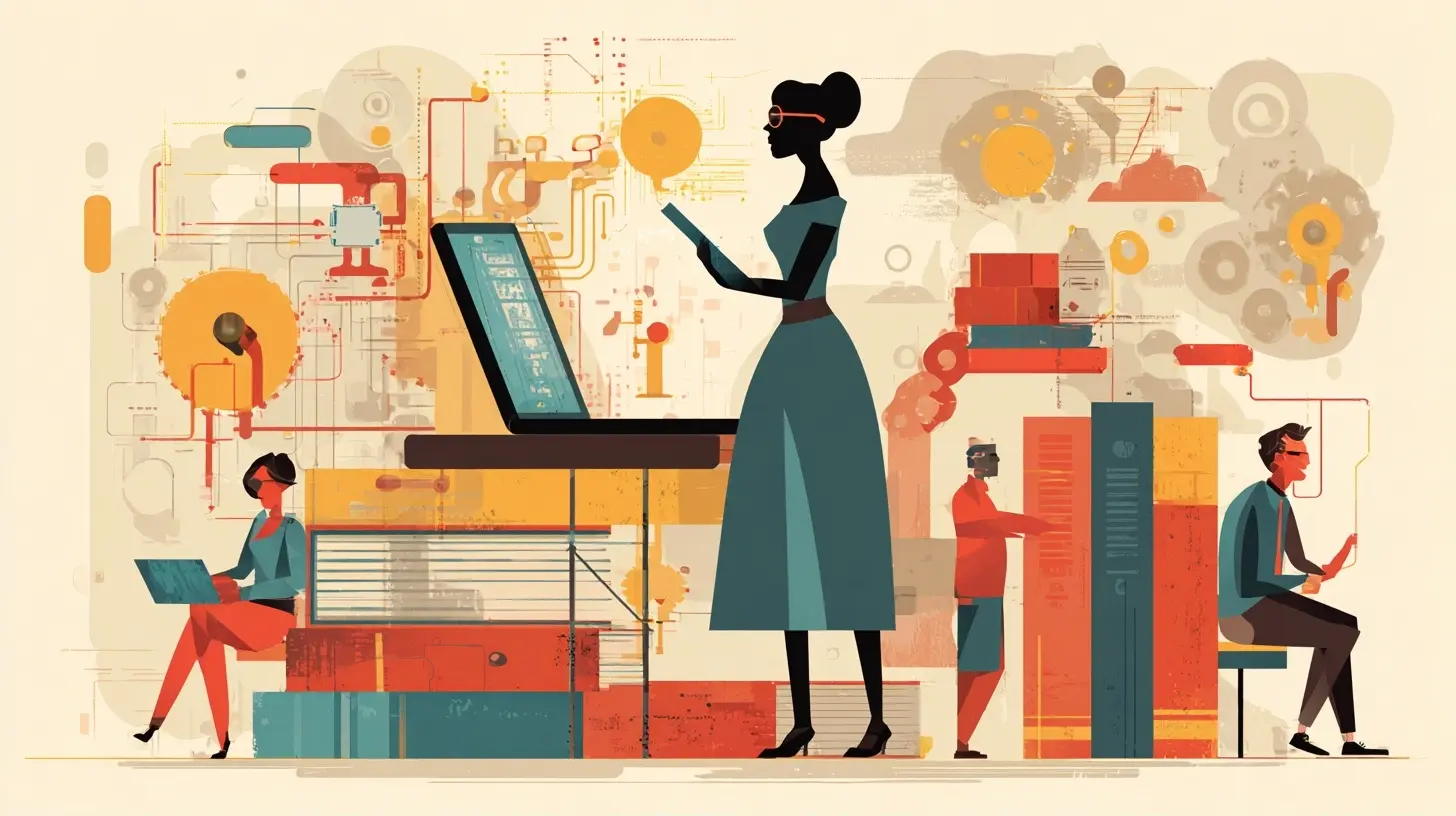
Why the Baseline Has Moved
A useful way to think about digital literacy is to compare it to driving. You do not need to be a mechanic to drive safely. But you do need to understand that brakes wear out, that ice reduces traction, and that a blind spot exists even when your mirrors look clear. The danger comes from not knowing what you do not know.Most people today operate digital tools the way a driver operates a car with no dashboard. They press things, things happen, and they have no mental model of the machinery underneath. That worked when software was simple and consequences were small. It stops working when a single tap can authorize a payment, publish a statement to thousands of people, or hand your biometric data to a company you have never heard of.
Three forces are pushing the baseline upward.
First, AI-generated content has made the cost of producing convincing text, images, audio, and video approach zero. When anyone can fabricate anything, the skill of verification becomes as fundamental as reading.
Second, digital systems now mediate nearly every transaction in daily life: banking, healthcare, employment, education, government services. Opting out is no longer realistic for most people.
Third, the attack surface has grown. Every connected device is a potential entry point. Every account is a key. The number of ways to lose money, privacy, or reputation has multiplied faster than most people's habits have adapted.
By 2026, the gap between people who understand these dynamics and people who do not will be as consequential as the gap between readers and non-readers was a century ago.

Skill One: Verification and Source Triangulation
This is the single most important skill on the list, and the one most people overestimate in themselves.Verification is not the same as fact-checking a single claim. It is the habit of asking, before you share or act on information: where did this come from, who benefits from me believing it, and can I confirm it through an independent path?
Why It Works
Information spreads through networks, and networks reward speed and emotional charge over accuracy. A claim that makes you angry or afraid travels faster than a dry correction. This is not a flaw in any single platform. It is a structural property of how attention works. Understanding that structure helps you slow down at exactly the moments when slowing down matters most.Triangulation means finding at least two sources that do not share a common origin. Two articles that both cite the same press release are one source, not two. Two experts who trained together and share funding are closer to one source than two. The skill is in tracing claims back to their root rather than counting the number of places you saw them repeated.
Common Mistakes
The most frequent error is treating a familiar-looking source as a verified one. A polished website, a professional headshot, a confident tone. None of these are evidence. AI systems now generate all three trivially.A second mistake is confusing "I found a source that agrees with me" with "I verified this." Confirmation feels like verification because it produces the same emotional relief. It is not the same process.
A third mistake is assuming that because a claim is old, it is true. Repetition over time is not the same as corroboration. A falsehood that has circulated for a decade is still a falsehood.
What to Do Instead
Build a small set of habits you apply automatically:- Check the original source, not the summary. If a study is cited, find the study. If a quote is used, find the full context.
- Look for what is missing. A screenshot can be real and still misleading if it crops out crucial framing.
- Reverse-search images and video. Tools exist for this, and they are worth knowing.
- Ask who would benefit if you believed this. Not as a conspiracy reflex, but as a normal question.
- When in doubt, wait. Most misinformation relies on urgency. Time is your ally.
The goal is not to become a cynic who trusts nothing. It is to become someone whose trust is calibrated rather than reflexive.

Skill Two: Understanding How AI Systems Actually Behave
You do not need to know how to build a large language model. You do need to understand its behavioral profile, because you will interact with these systems constantly.What These Systems Are Good At
Language models are excellent at generating plausible text, summarizing, translating, reformatting, brainstorming, and producing first drafts. They are fast, tireless, and often surprisingly good at tasks that involve pattern completion.Where They Fail
They are not databases. They do not look up facts unless specifically connected to a retrieval system. They generate text that is statistically likely given the prompt, which means they can produce fluent, confident, completely wrong answers. This is not a bug that will be patched away. It is a property of how they work.They also do not know what they do not know. A model that lacks information on a topic will often produce a confident-sounding answer rather than admitting uncertainty, unless it has been specifically trained or prompted to do otherwise.
Why This Matters Practically
If you use an AI assistant to draft a legal clause, a medical summary, or a financial calculation, and you do not independently verify the output, you are taking on risk you may not see. The output will look correct. That is the danger.A Workable Mental Model
Think of these systems as brilliant, well-read interns with no memory of your specific situation and no accountability for being wrong. They are useful for accelerating work. They are dangerous as final authorities.Use them for:
- Generating options you had not considered
- Reformatting or restructuring existing content
- Explaining concepts at different levels of complexity
- Drafting text you will then edit heavily
Do not use them for:
- Final factual claims without verification
- Decisions with legal, medical, or financial consequences
- Anything where being confidently wrong is expensive
This is not about distrust. It is about matching the tool to the task.
Skill Three: Data Privacy as a Daily Practice
Privacy is often framed as a personal preference. It is more accurately a form of self-defense.Every account you create, every app you install, every "free" service you use is part of a transaction. The transaction is usually this: you receive convenience, and you provide data. That data is used to profile you, predict your behavior, and often to sell access to your attention.
The Misconception
Many people believe that if they have "nothing to hide," privacy does not matter. This misunderstands what privacy is for. Privacy is not about hiding wrongdoing. It is about controlling who has access to information about you and what they can do with it. That control matters regardless of what the information is.Consider a simple example. Your location data, aggregated over months, reveals where you live, where you work, where you worship, where you seek medical care, and who you visit. None of those individual data points is sensitive on its own. Together, they form a detailed portrait of your life. That portrait can be used to target you, manipulate you, or discriminate against you.
Practical Habits That Actually Help
You do not need to disappear from the internet. You need to reduce unnecessary exposure and limit the damage of any single breach.- Use a password manager and unique passwords for every account. This is the single highest-leverage habit in personal security.
- Turn on two-factor authentication everywhere it is offered. Prefer app-based or hardware-based methods over SMS when possible.
- Review app permissions periodically. A flashlight app does not need your contacts.
- Be deliberate about what you share publicly. Birthdays, pet names, and mother's maiden names are common security questions.
- Understand that "delete" often means "hide." Data may persist on servers you do not control.
- Read privacy settings, not privacy policies. Settings tell you what actually happens. Policies tell you what is legally permitted, which is often broader.
Trade-Offs to Consider
Convenience and privacy exist in tension. A smart home device that responds to your voice is convenient and also a microphone in your living room. A social platform that connects you to friends also profiles you. There is no universally correct answer. The point is to make these trade-offs consciously rather than by default.Skill Four: Digital Security Beyond Passwords
Passwords matter. They are also not enough.The Threat Model Approach
Not everyone faces the same risks. A journalist in a repressive country faces different threats than a retiree managing a pension. A small business owner faces different threats than a teenager. The first step in good security is deciding what you are actually protecting against.Ask yourself:
- What would happen if my email were compromised?
- What would happen if my bank account were accessed?
- What would happen if my identity were stolen?
- Who might want to target me specifically, and why?
Your answers determine which measures are worth the effort.
Phishing Has Gotten Much Better
The classic phishing email with typos and a suspicious link still exists. But modern phishing is sophisticated. It arrives from a real-looking address, references real context, and leads to a page that looks exactly like the one you expect. AI has made this trivially easy to produce at scale.The defense is not spotting bad grammar. It is verifying through a separate channel. If you receive an urgent request to reset a password, do not click the link. Go to the site directly. If you receive a message from your boss asking for a wire transfer, call your boss.
Backup as a Security Measure
Ransomware and accidental deletion are both real. A backup that is disconnected from your main system is the difference between an inconvenience and a catastrophe. The common advice is the 3-2-1 rule: three copies of important data, on two different types of media, with one copy stored offsite. For most people, a cloud backup plus a local external drive is a reasonable approximation.What Not to Do
Do not reuse passwords. Do not ignore software updates, which often contain security fixes. Do not assume that because you are not a target, you will not be attacked. Most attacks are automated and indiscriminate.
Skill Five: Evaluating and Using New Tools Without Being Exploited
New tools arrive constantly. Some are genuinely useful. Some are designed to extract value from you. Telling them apart is a skill.Questions to Ask Before Adopting Anything
- What does this tool want from me? Data, money, attention, or some combination?- What is the business model? If it is free, how does it make money?
- What happens to my data if I stop using it?
- Can I export my data if I leave?
- Who owns the company, and what is its track record?
These questions take two minutes and can save years of regret.
The Hype Cycle
New tools are often presented as revolutionary. Sometimes they are. Often they are incremental improvements wrapped in aggressive marketing. The skill is distinguishing between a tool that solves a real problem you have and a tool that creates a problem you did not know you had.A useful test: does this tool replace something you already do, or does it add a new dependency? Replacement is often fine. New dependencies deserve scrutiny.
Lock-In and Exit Costs
Whenever you adopt a platform, consider how hard it would be to leave. Some services make export easy. Others make it deliberately difficult. Before you invest years of data, photos, or work into a platform, check whether you can get it out.Skill Six: Digital Communication and Reputation
Everything you post online is potentially permanent, searchable, and context-free. This is not a reason to stay silent. It is a reason to be intentional.The Context Collapse Problem
A message written for friends can be read by employers. A joke that lands in one community can offend another. A private conversation can be screenshotted. This is what researchers call context collapse: the flattening of different audiences into one.The practical implication is not to self-censor into silence. It is to recognize that online communication is closer to publishing than to conversation. Write accordingly.
Tone and Misinterpretation
Text lacks tone of voice, facial expression, and body language. Sarcasm, nuance, and humor are frequently misread. This is not a flaw in any individual. It is a limitation of the medium.When a message matters, prefer a channel with more bandwidth. A phone call or video conversation resolves in minutes what a text thread can prolong for days.
Reputation as an Asset
Your online presence is increasingly part of your professional identity. A well-maintained profile, thoughtful contributions, and a consistent voice can open doors. A careless post can close them. This is not fair, but it is real.The best approach is not to curate a fake persona. It is to be the same person online that you are offline, and to remember that the internet has a long memory.
Skill Seven: Knowing When to Step Away
This is the skill nobody lists, and it may be the most important.Digital tools are designed to capture attention. Notifications, infinite scroll, autoplay, and algorithmic feeds are not neutral features. They are engineered to maximize engagement, which often means maximizing time spent and emotional intensity.
Why This Matters
Attention is the raw material of your life. Where it goes, your life goes. A person who cannot sustain focus for more than a few minutes is at a disadvantage in almost every domain: work, relationships, learning, health.Practical Countermeasures
- Turn off non-essential notifications. Most are not urgent.- Create friction between you and your most distracting apps. Log out. Delete them from your phone. Move them off your home screen.
- Schedule time without screens. Protect it the way you would protect a meeting.
- Notice how you feel after using a platform. If you consistently feel worse, that is data.
The Balance
This is not an argument for abandoning technology. It is an argument for using it deliberately rather than being used by it. The people who thrive in the coming years will not be those who reject digital tools or those who surrender to them. They will be those who use them with intention.Putting It Together
Digital literacy in 2026 is not a single skill. It is a cluster of habits: verifying before sharing, understanding the limits of AI, protecting your data, securing your accounts, evaluating new tools, communicating with awareness, and knowing when to disconnect.None of these require technical expertise. All of them require attention and a willingness to slow down at the moments that matter.
The good news is that these skills compound. A person who verifies sources becomes harder to manipulate. A person who manages passwords becomes a harder target. A person who understands AI becomes more effective with it, not less. A person who controls their attention gains back hours every week.
The bad news is that the cost of not having these skills is rising. The same tools that empower the literate also empower those who would exploit the illiterate. The gap between the two groups will define opportunity, safety, and autonomy for years to come.
Start with one skill. Practice it until it becomes automatic. Then add another. The goal is not perfection. It is competence, built deliberately, one habit at a time.
all images in this post were generated using AI tools
Category:
Technology GuidesAuthor:

Adeline Taylor